HIROA(迅速丁寧を心掛け)
HIROA(迅速丁寧を心掛け)100 (1391)
JDirectItems Fleamarket
Other products in this store

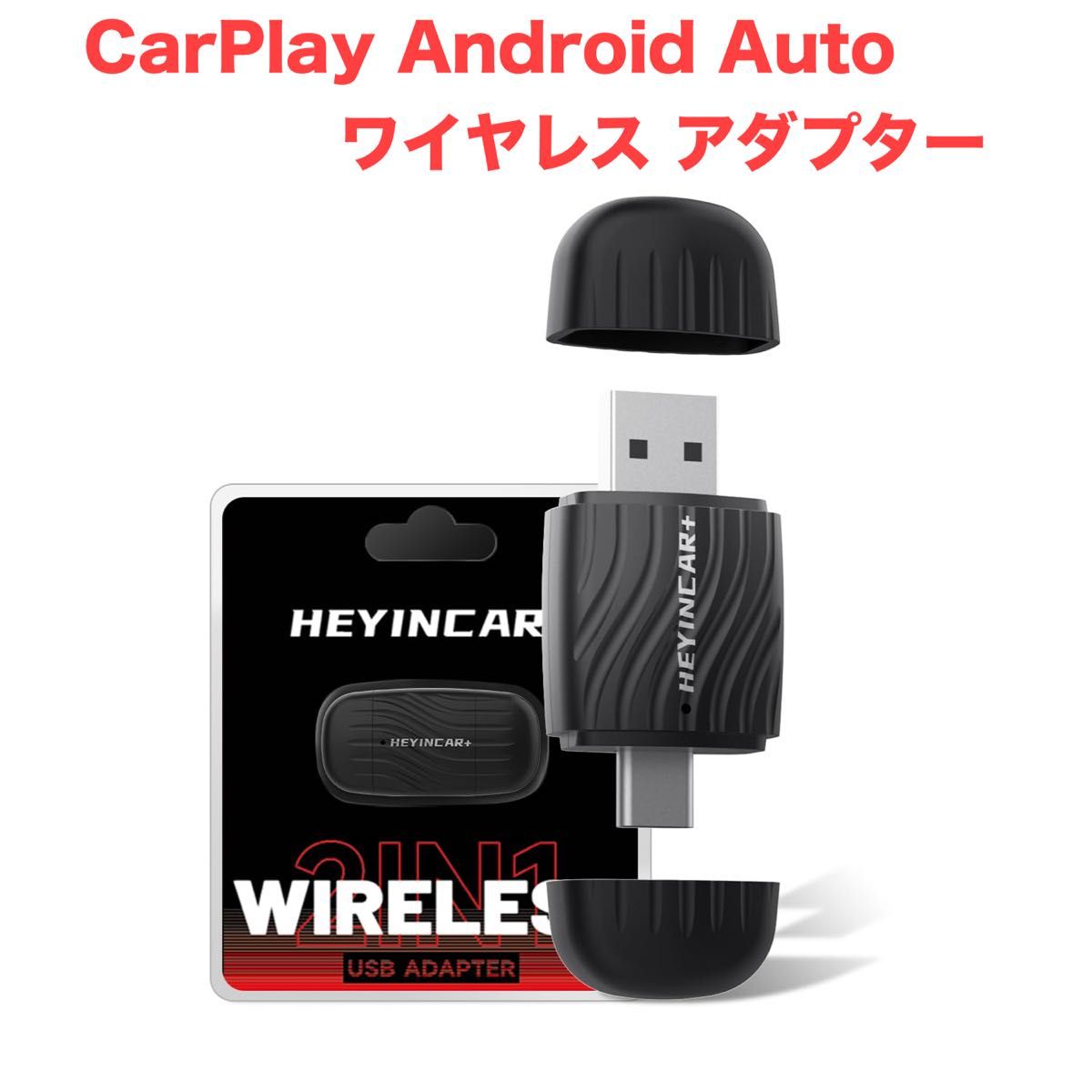
CarPlay Android Auto Wireless Adapter

Original Product Link
Pre-ownedSource of goodsInsured Logistics Delivery
2000 YEN
Quantity
1
Shipping
Domestic shipping fee in Japan:
Free shipping
Basic Information
Item Condition
Unused
Days to Ship
Ships in 1–2 days
Shipping origin region
OSAKA
Delivery method
Convenient delivery (Japan Post)
Payment Methods
Debit/Credit CardDebit/Credit CardDebit/Credit CardDebit/Credit CardPayPal
Sorry, this product cannot currently be purchased. Please contact customer service if you need help.
JPfinds Shopping Process
Search
Find the desired item on the shopping platform and add it to your cart.
Shopping
Pay the 1st payment (product and service fee), and we will purchase it for you.
Warehouse
The item arrives at the warehouse and can enjoy 30 days of free storage.
Payment
Pay the 2nd payment (international shipping fee), and we will ship your items internationally.
Delivery
The package is delivered to your door. This typically takes 1 to 2 weeks.

Product Detail

未使用品です。 販売店ではございませんので、仕様等のご質問には分かる範囲で対応させていただきます。 ■ 両端ヘッドデザイン・ケーブル不要 ・両端ヘッド仕様で変換ケーブルが不要 ・純正の有線CarPlay/Android Autoをワイヤレス化 ・USBポートに挿すだけの簡単接続 ■ 対応条件 ・2016年以降の有線CarPlay標準搭載車+iOS10以上のiPhone ・有線Android Auto標準搭載車+Android11以上のスマートフォン ・純正の有線CarPlay/Android Auto非搭載車には非対応 ・一部車種(Volkswagen・日産など)で不安定な場合あり ■ 接続方法 ・ワイヤレスCarPlay接続手順 ① USBポートに挿入 ② iPhoneのWi-Fi/Bluetoothをオン ③ 表示されたBluetooth名を選択してペアリング ④ 数秒後、自動的にCarPlay画面へ切替 ・ワイヤレスAndroid Auto接続手順 ① USBポートに挿入 ② スマホのWi-Fi/Bluetoothをオン ③ Bluetooth名を検索・ペアリング ④ 数秒後、自動的にAndroid Auto画面へ切替 ■ 利用できる機能 ・Googleマップや各種ナビアプリ ・音楽再生、音声アシスタント、通話操作 ・ステアリングや車載ボタンの操作継続可能 ・5.8GHz高速伝送で遅延を軽減 ■ 注意点 ・YouTubeやNetflix等の動画再生は非対応 ・接続できない場合の対処法  1. ネットワーク復元  2. 車両リセット  3. ソフトウェアをアップデート ・スマホ側でWi-FiとBluetoothが他の機器に接続中の場合、正常に利用できない可能性あり ・一部車種やスマホは互換性の問題で不安定になる場合あり ■ 技適認証取得済み ・日本国内で安心して利用可能 ・PSE/TELEC認証取得済み

UTC+9--:--:--
Cart
Customer Service
Help Center